

FREE DNS
Use the Free DNS service that Papaki provides, no matter where your domains are registered!
Why should I use Papaki’s Free DNS service?
Even if your domain name is registered with a different registrar, you can connect it with your website at Blogger, WordPress, Tumblr, Webnode etc. for free, using our Free DNS service. It only takes to steps:
Activate Papaki’s Free DNS service
Type your domain name in the field above, click “DNS Activation” and follow the activation steps.
Connect your domain name with the platform of your choice
Log into your Control Panel at Papaki, change the nameservers to dns1.papaki.gr and dns2.papaki.gr and choose the platform you want to connect your domain with.
DNS Records
DNS records are now easy and simple to create!DNS Records with just 1 click!
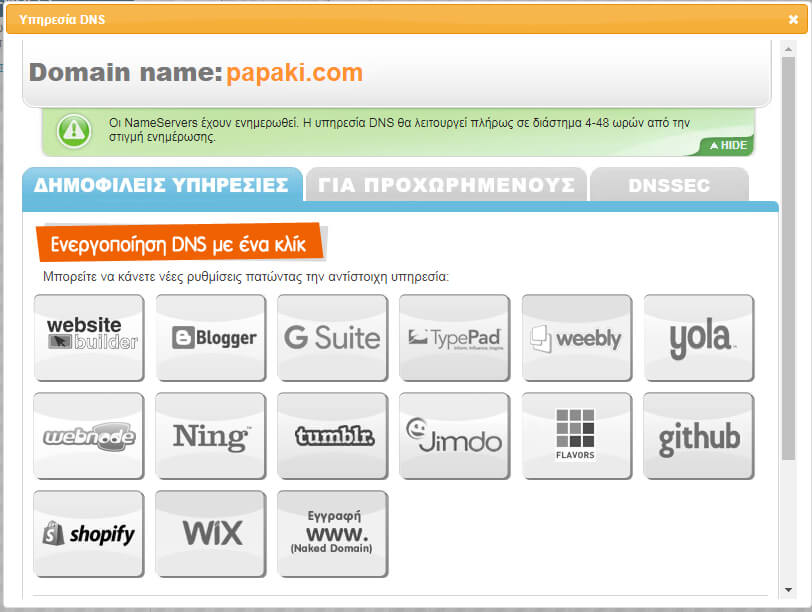
We gathered for you all the necessary records in order to connect your domain name with the most popular platforms.
Connect your domain name with:
Website Builder
Ning
Gmail
Blogger
Yola
Tumblr
Shopify
Simply click on the platform of your choice and then hit "Save". Everything else is done automatically!
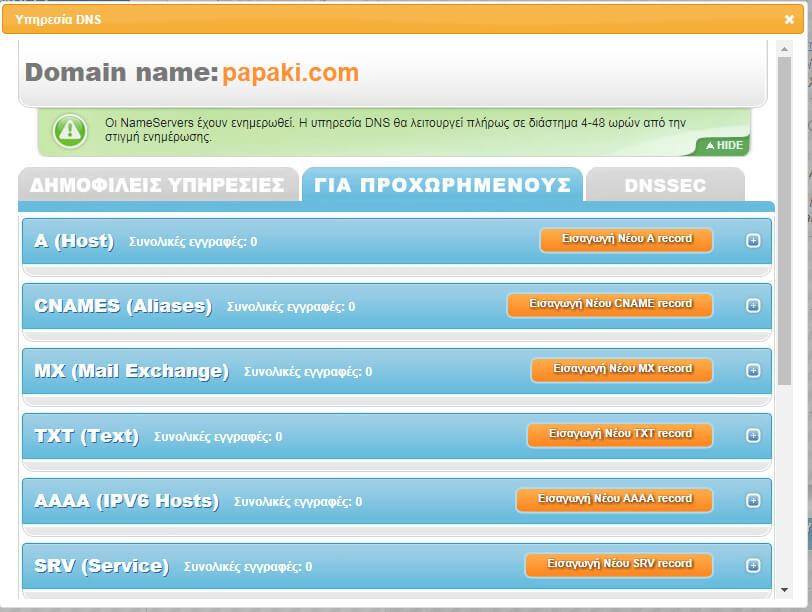
Add DNS Records manually
If you wish to add records manually, on the "Advanced" tab and you can create the DNS records you want.
You can create CNAME, A Records, TXT, MX and other records by filling in the respective fields.
Learn more information about the free DNS service at Papaki’s Knowledge Base.
Features
Full DNS Control Panel
Secure infrastructure (2 data centers)
Support for all TLDs
Support for all record types
Frequently Asked Questions
In Papaki’s Knowledge Base you can find instructions and useful information about the service activation.
There are no hidden fees or other requirements. Papaki’s DNS service is free for everyone.
 I already have an account


or